
Clean CRM data
AI needs accurate contacts, companies, deals, tickets, lifecycle stages, associations and ownership rules to produce useful outputs.
HubSpot AI can support content, sales, service, reporting, data intelligence and workflow automation.
But AI only creates value when your portal is ready.
Lupo helps Australian businesses prepare HubSpot for AI and automation by reviewing CRM data, workflows, content, reporting, permissions, governance and team adoption before AI tools are activated.
The goal is not to turn on every AI feature. The goal is to identify the right use cases, build the right foundations and make AI useful inside your daily operations.
Practical HubSpot AI enablement across CRM, workflows, reporting, content, service and team adoption.
AI Readiness
AI can speed up work, improve visibility and reduce manual effort, but it cannot fix a poorly structured portal by itself.
If your CRM data is messy, workflows are unclear, reporting is unreliable or content is incomplete, AI may amplify the problem instead of solving it.
Before activating HubSpot AI, Breeze AI or AI agents, your portal needs the right data, processes, governance and team readiness.
AI needs accurate contacts, companies, deals, tickets, lifecycle stages, associations and ownership rules to produce useful outputs.
Automation works best when the process is already understood, documented and owned by the right team.
AI support and content tools depend on clear website content, knowledge base articles, brand voice guidance and source material.
AI-supported insights are only useful if the dashboards and source data behind them are accurate.
Teams need clear rules for what AI can access, what it can suggest, who reviews output and when humans stay involved.
AI should support how the team works, not create another tool that nobody uses properly.
AI Capability Areas
HubSpot AI and automation can support many parts of the customer journey. The right starting point depends on your business goal, data quality, team process and level of risk.
Lupo helps you identify which AI or automation use case is worth starting with and what needs to be prepared before rollout.
Prepare sales data, ICP definitions, buying signals and outreach processes for AI-supported prospect research and sales activity.
Best for: Sales teams looking to improve prospecting efficiency.
Prepare sales data, ICP definitions, buying signals and outreach processes for AI-supported prospect research and sales activity.
Best for: Sales teams looking to improve prospecting efficiency.
Prepare your knowledge base, support content, escalation rules and service processes for AI-assisted customer support.
Best for: Service teams handling repeat enquiries or support volume.
Support social content planning, brand voice, approvals and publishing workflows through AI-assisted social media operations.
Best for: Marketing teams that need more consistent social content.
Support content creation workflows for blogs, landing pages, campaign assets, case studies and answer-ready content.
Best for: Marketing and content teams scaling production.
Prepare CRM data and customer intelligence foundations for AI-supported research, enrichment, data activation and reporting.
Best for: Teams that need cleaner customer intelligence and better CRM data usage.
Structure HubSpot content so AI search and answer engines can understand, summarise and cite your expertise more easily.
Best for: Teams that want better visibility in AI-assisted buyer research.
Improve reporting visibility with cleaner data, better dashboards and AI-supported insight generation.
Best for: Leadership and RevOps teams that need more reliable decision-making.
Identify workflow automation opportunities across marketing, sales, service and operations without creating more complexity.
Best for: Teams with manual processes or underused workflows.
Improve ticket routing, escalation, support workflows, knowledge base usage and service reporting with AI-ready processes.
Best for: Service teams wanting faster and more consistent support operations.
Use Case Prioritisation
The best AI starting point is not always the most exciting feature. It is the use case that has clear value, clean enough data, manageable risk and a team ready to use it.
Lupo helps you prioritise AI and automation opportunities based on business value, readiness and implementation effort.
Recommended focus
Start by reviewing ICP definitions, contact and company data, lead sources, outreach rules, sales process and pipeline reporting.
Recommended focus
Start by reviewing common questions, escalation rules, support content, ticket categories and handover processes.
Recommended focus
Start by reviewing brand voice, content structure, campaign workflow, approval process and answer-ready page formats.
Recommended focus
Start by reviewing data quality, lifecycle stages, dashboards, attribution, reporting definitions and leadership visibility.
Recommended focus
Start by mapping the process, ownership, triggers, exceptions, reporting and human review points before building automation.
AI Enablement Approach
AI should be activated in stages. A structured approach helps your team avoid turning on disconnected features without the data, workflows or governance needed to make them useful.
Review your CRM data, workflows, content, reporting, permissions, governance and team capability.
Identify which AI or automation opportunities offer the clearest value with the lowest unnecessary risk.
Clean data, clarify workflows, improve knowledge content, update reporting and define permissions.
Start with a controlled AI or automation use case before expanding across more teams or processes.
Help users understand where AI fits, how to review outputs and when human judgement is required.
Track adoption, time saved, workflow performance, reporting quality, customer experience and business outcomes.
Expand to more AI and automation use cases once the foundations, governance and reporting are working.
If you are exploring HubSpot AI or automation, start with the guide that matches your current question.
These resources help you assess readiness, identify automation opportunities and choose the right Breeze AI use case before moving into implementation.
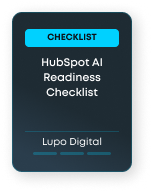
Assess whether your CRM data, workflows, content, permissions, reporting and team processes are ready for HubSpot AI.
Best for: Teams preparing for HubSpot AI, Breeze AI or AI agents
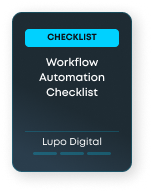
Review process clarity, enrolment triggers, data requirements, suppression rules, QA steps and workflow governance before automating.
Best for: Teams planning to automate marketing, sales, service or operations processes
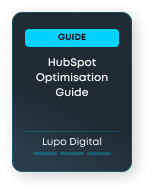
Compare practical Breeze AI use cases across sales, service, marketing, content, data, reporting and automation.
Best for: Teams deciding which HubSpot AI use case or agent to start with
Readiness Checklist
Before activating AI in HubSpot, review the areas that affect accuracy, adoption, risk and usefulness.
Readiness Checklist
HubSpot AI & AutomationCheck whether contacts, companies, deals, tickets, properties, associations and lifecycle stages are accurate enough for AI-supported work.
Review whether website pages, knowledge base articles, sales resources, product information and brand voice guidance are clear and up to date.
Decide when AI output must be checked, approved, edited or escalated to a person before it reaches a customer.
Train users on what AI can support, where it has limits and how to use it responsibly in daily work.
Review existing workflows, naming conventions, enrolment triggers, suppression rules, ownership and QA processes.
Define which users and teams should access AI features and what information AI tools can use.
Define what success looks like before launch, such as time saved, ticket deflection, meeting creation, content output or workflow performance.
Avoid AI Rework
Many AI and automation projects fail because the team starts with tools before clarifying the process, data and governance.
Avoiding these issues early will make HubSpot AI more useful and easier to manage.
AI output depends on the quality of the CRM data, content and workflow logic behind it.
It is better to pilot one high-value use case properly before expanding across more teams.
Automation should follow a process that has clear owners, triggers, exceptions and success measures.
AI should support the team, but important customer-facing actions still need review rules and escalation paths.
Without clear measurement, it is difficult to know whether AI is saving time, improving quality or creating risk.
AI success also depends on team adoption, training, governance and ongoing optimisation.
If you want to explore Breeze AI, AI agents, workflow automation, AI reporting or support automation, start by understanding whether your HubSpot portal is ready.
Lupo can help you identify the right use cases, prepare the foundations and activate AI in a practical, controlled way.