Skip to content

Make HubSpot Cleaner, More Connected And Easier To Automate

HubSpot Data Hub helps businesses improve the operational foundations behind CRM, automation, reporting and connected systems.

Lupo helps Australian businesses use Data Hub to improve data quality, connect systems, clean up processes, automate safely and prepare HubSpot for reporting, AI and Data Agent use cases.

Data Hub implementation, data quality, workflow automation and operational alignment for Australian teams.

Operational Foundations

What Data Hub helps you manage

Data Hub supports the systems, data and automation layer behind HubSpot.

It helps businesses improve how customer data moves, how workflows run, how systems connect and how teams maintain reliable CRM foundations.

The value comes from using Data Hub to reduce operational friction, improve data trust and support better reporting, automation and AI readiness.

megaphone-icon

Data quality

Improve the quality of contact, company, deal, ticket, lifecycle and property data so reports, workflows and AI tools have stronger foundations.

form-icon

Data sync and integrations

Connect HubSpot with other systems so teams are not relying on manual imports, duplicated records or disconnected customer information.

layout-icon

Workflow automation

Use workflows to reduce manual tasks, support handovers, update data, route records and create more consistent internal processes.

mail-icon

Data governance

Create clearer rules for properties, field usage, naming conventions, required data, ownership and ongoing portal management.

filter-icon

Reporting foundations

Improve the source data and process logic behind dashboards so leadership can trust what they are seeing.

seedling-icon

Operational visibility

Help teams understand where records, workflows, handovers and processes are breaking down.

zap-icon

AI and Data Agent readiness

Prepare CRM data, customer intelligence and workflow logic so HubSpot AI and Data Agents can be used more effectively.

chart-2-icon

Process automation

Support marketing, sales, service and operations teams with cleaner process automation across the customer journey.

Data And Process Design

Data Hub works best when the data model is clear

Data Hub becomes much more useful when your CRM structure is already understood.
If objects, properties, associations, lifecycle stages and ownership rules are unclear, automation and reporting can become unreliable.
Before building advanced workflows or connecting more systems, the data model needs to reflect how your business actually works.

network

Clear object structure

Contacts, companies, deals, tickets and custom records should be structured around real business relationships and reporting needs.

grid

Useful properties

Properties should have a clear purpose, owner and reporting use case. Unused or duplicated fields create confusion.

migrate

Reliable associations

Records need to be connected properly so teams can understand relationships between contacts, companies, deals, tickets and activities.

cycle

Lifecycle stage logic

Lifecycle stages should be defined clearly so marketing, sales, service and reporting teams understand how records move.

users

Workflow ownership

Every workflow should have a clear business purpose, owner, trigger, suppression logic and review process.

layout

Integration governance

Connected systems need clear rules for which platform owns which data and how updates should move between tools.

Avoid Operations Rework

Common Data Hub setup problems

Data Hub can create significant value, but only when it is implemented with clear data, process and governance decisions.

Without that structure, data sync, workflows and integrations can create more complexity instead of reducing it.

01

Automating messy processes

If the process is unclear, automation may simply move poor-quality data faster through the system.

02

No clear owner for CRM data

When nobody owns data quality, duplicate records, missing fields and inconsistent properties can slowly damage reporting and automation.

03

Integrations are added without data rules

Connecting systems without clear data ownership can create sync conflicts, duplicate records and unreliable customer information.

04

Workflows are not documented

Undocumented workflows become difficult to maintain, troubleshoot and improve as the portal grows.

05

Properties are created too freely

Too many similar or unused properties make forms, lists, workflows, reporting and CRM usage harder to manage.

06

Reporting is fixed without fixing the source data

Dashboards cannot become reliable if the underlying data model, lifecycle stages and workflow logic are still inconsistent.

07

AI is introduced before data quality is ready

Data Agents, AI reporting and workflow automation depend on clean, structured and governed CRM data.

Lupo Approach

How Lupo helps implement Data Hub

Lupo helps businesses use Data Hub to strengthen the operational layer of HubSpot.

We focus on the areas that make HubSpot easier to trust, easier to automate and easier to scale: CRM data, integrations, workflows, reporting foundations and governance.

  1. Review your current operations setup

    Understand your current CRM structure, connected systems, workflows, reporting issues and operational pain points.

  2. Audit CRM data quality

    Review duplicates, missing values, property usage, associations, lifecycle stages and data consistency.

  3. Map data ownership and rules

    Define which systems own which data, which fields matter and how records should be maintained over time.

  4. Plan integrations and data sync

    Identify what needs to connect, what should sync and what risks need to be managed before integration work begins.

  5. Design workflow automation

    Create workflows around clear process logic, ownership, triggers, suppression rules, QA and reporting requirements.

  6. Improve reporting foundations

    Fix the CRM and workflow foundations that influence dashboards, lifecycle reporting and leadership visibility.

  7. Prepare for AI and Data Agents

    Review whether your data, workflows and governance are ready for AI-supported customer intelligence, reporting and automation.

  8. Train and document

    Help teams understand the rules, workflows, data responsibilities and ongoing governance processes.

AI And Data Readiness

Data Hub and Data Agents readiness

Data Agents and AI-supported operations depend on the quality of your HubSpot data.
If the CRM is cluttered, inconsistent or poorly governed, AI may surface incomplete insights, trigger unreliable automation or create more manual review work.
Data Hub can help prepare the data and process layer needed for practical AI use cases.

users

Clean customer records

Contacts, companies, deals and tickets should be accurate, complete and associated correctly.

grid

Useful segmentation fields

Industry, lifecycle stage, lead source, persona, interest area and service needs should be structured consistently.

cycle

Reliable lifecycle logic

AI-supported reporting and automation need clear rules for how contacts move through lifecycle stages.

workflow

Documented workflows

AI and automation work better when workflow triggers, actions, goals and exclusions are clearly understood.

network

Integration clarity

Teams need to know which external systems affect HubSpot data and what information should sync between tools.

lifebuoy

Governance and permissions

Define who can create properties, workflows, lists, reports and integrations so the portal remains manageable.
Downloadable resources for Data Hub planning

If you are planning to improve data quality, workflow automation or portal operations, start with a guide that helps you review the foundations first.

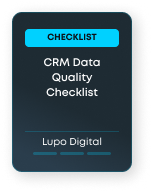
CRM Data Quality Checklist Cover image

CRM Data Quality Checklist

Review duplicate records, missing fields, property usage, associations, lifecycle stage accuracy and data quality risks before improving reporting or automation.

Best for: Teams improving CRM data, reporting or automation foundations
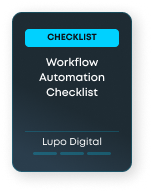
Workflow Automation Checklist Cover image

Workflow Automation Checklist

Review process clarity, enrolment triggers, data requirements, suppression rules, QA steps and workflow governance before automating.

Best for: Teams planning to automate marketing, sales, service or operations processes
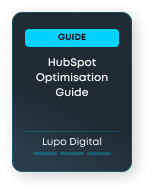
HubSpot Optimisation Guide Cover image

HubSpot Optimisation Guide

Understand how to review CRM structure, workflows, reporting, lifecycle stages, adoption and RevOps alignment before prioritising optimisation work.

Best for: Teams that need a broader HubSpot improvement roadmap

Related HubSpot pages

database

Smart CRM

Understand how clean customer data supports reporting, workflows, segmentation, automation and AI readiness.

sparkles-2

Data Agents

Explore how AI-supported data and customer intelligence can work when CRM foundations are ready.

workflow

AI Workflow Automation

Learn how workflow automation can support marketing, sales, service and operations when process logic is clear.

chart-2

AI Reporting

See how better data quality and reporting foundations support smarter dashboards and AI-assisted insights.

refresh-cw

Optimise Existing Portal

Review how Lupo helps improve messy, underused or hard-to-report-on HubSpot portals.

HubSpot Data Hub FAQs

HubSpot Data Hub supports the operational layer of HubSpot, including data quality, data sync, integrations, workflow automation, process automation and reporting foundations.

Ready to strengthen your HubSpot operations layer?

If your HubSpot data, workflows, integrations or reporting foundations need improvement, Lupo can help you create a cleaner and more connected operations setup.