Skip to content

Turn Sales Hub Into a Cleaner Pipeline And Revenue System

HubSpot Sales Hub can help your sales team manage leads, deals, pipelines, activities, sequences, forecasting and sales reporting.

But Sales Hub only works properly when it reflects your real sales process.

Lupo helps Australian businesses implement and optimise Sales Hub around clear pipeline stages, reliable CRM data, lead routing, sales handovers, forecasting visibility, workflow automation, adoption and AI prospecting readiness.

Sales Hub implementation, pipeline optimisation and sales enablement for Australian growth teams.

Sales Operations

What Sales Hub helps you manage

Sales Hub is designed to help sales teams manage prospects, deals, follow-up, pipeline visibility and revenue activity.

The key is making sure Sales Hub is not just a place to store deals. It should support the way your sales team qualifies leads, manages opportunities, follows up, forecasts revenue and works with marketing and service.

tray-icon

Lead management

Track new leads, source, lifecycle stage, owner, qualification status and follow-up activity in one place.

pipeline-icon

Pipelines and deal stages

Create sales pipelines and deal stages that reflect how opportunities actually move from first conversation to closed revenue.

connector-icon

Lead routing and ownership

Route leads to the right owner based on source, territory, industry, form response, lifecycle stage or sales process.

pulse-icon

Sales activity tracking

Track calls, emails, meetings, notes, tasks and activity history so the team has clearer visibility into every opportunity.

checklist-icon

Sequences and follow-up

Use structured follow-up sequences, templates and tasks to help sales teams stay consistent without relying only on manual reminders.

trend-icon

Forecasting and revenue visibility

Give sales leaders clearer visibility into pipeline value, deal movement, forecast categories and revenue risk.

chart-2-icon

Sales reporting

Build dashboards that show pipeline health, lead response, deal velocity, sales activity, source performance and revenue trends.

sparkles-2-icon

AI prospecting readiness

Prepare your sales data, ICP definitions, company records, contact data and outreach process for AI-assisted prospecting.

Sales Process Design

Sales Hub works best when the sales process is clear

A strong Sales Hub setup starts with process clarity.
If deal stages are vague, lead ownership is inconsistent or sales activity is not tracked properly, HubSpot reporting becomes harder to trust.
Before building automations, dashboards or AI prospecting workflows, your sales process needs clear definitions, ownership and data requirements.

pipeline-2-icon

Clear deal stages

Each deal stage should represent a real sales milestone, not just a rough guess about where an opportunity might be.

notes-icon

Shared qualification rules

Marketing and sales need agreed definitions for when a lead becomes qualified and what information is needed before handover.

user-icon

Owner assignment rules

Every lead or deal should have a clear owner so follow-up, accountability and reporting are easier to manage.

database-icon

Required sales data

Sales teams need to know which fields matter at each stage, so reporting, forecasting and automation are based on useful information.

briefcase-icon-1

Forecasting logic

Forecasting should reflect deal stage, close date, probability, forecast category and sales confidence.

speaker-icon

Sales and marketing alignment

Sales Hub should connect with Marketing Hub so lead source, campaign activity, lifecycle stage and follow-up are visible.

Avoid Sales Hub Rework

Common Sales Hub setup problems

Sales Hub can become difficult to manage when pipelines, deal stages, reporting and activity tracking are set up without a clear operating model.

These issues often create poor adoption, weak reporting and inconsistent sales follow-up.

01

The pipeline does not match the real sales process

If the pipeline is too simple, too complex or built around default stages, it may not reflect how your team actually sells.

02

Deal stages are unclear

When stage definitions are vague, salespeople move deals inconsistently and reporting becomes unreliable.

03

Lead routing is manual or inconsistent

Without clear assignment rules, leads can sit untouched, be assigned to the wrong owner or receive inconsistent follow-up.

04

Sales activity is not tracked properly

If calls, meetings, notes and tasks are not recorded consistently, managers cannot see what is really happening in the pipeline.

05

Forecasting is hard to trust

Forecasting becomes unreliable when close dates, deal amounts, probabilities and stage movement are not managed properly.

06

Reporting does not answer leadership questions

Dashboards need to show the right sales metrics, not just standard reports that do not match the business.

07

AI prospecting is introduced before the data is ready

AI-assisted prospecting needs clean CRM data, clear ICP definitions, usable company records and a defined outreach process.

Lupo Approach

How Lupo helps implement Sales Hub

Lupo helps businesses configure Sales Hub around their real sales process, not just the default HubSpot setup.

We focus on the foundations that make Sales Hub useful every day: pipeline structure, lead routing, CRM data, sales workflows, dashboards, training and adoption.

  1. Review the sales process

    Understand how leads are qualified, how deals move forward, who owns each step and what the team needs to track.

  2. Design pipeline and deal stages

    Create pipeline stages that reflect actual sales milestones, required information and reporting needs.

  3. Configure CRM data and properties

    Set up the fields, records, associations and data rules needed to support sales activity and reporting.

  4. Set up lead routing and ownership

    Define rules for assigning leads, deals and tasks to the right sales owner.

  5. Build sales workflows and follow-up processes

    Create workflows that support task creation, owner assignment, lifecycle updates, handovers and follow-up reminders.

  6. Create sales reporting dashboards

    Build dashboards for pipeline visibility, sales activity, forecast review, lead response and revenue performance.

  7. Train the sales team

    Help users understand how Sales Hub supports their daily process, not just where to click inside the platform.

  8. Optimise over time

    Review pipeline quality, adoption, reporting, sales activity and automation as the sales process matures.

AI Sales Enablement

Sales Hub and AI prospecting readiness

HubSpot AI and Prospecting Agent can support sales teams with research, prospecting and productivity.
But AI prospecting only works when Sales Hub has the right data and process foundations.

Before using AI to support prospecting, your team should review ICP definitions, company data, contact quality, buying signals, outreach process and reporting.

target-icon

ICP and target account clarity

AI prospecting works better when the team has a clear definition of ideal customer profiles, segments, industries and target accounts.

company-icon

Clean company and contact data

AI-supported sales activity depends on accurate records, useful properties, clean associations and complete contact information.

trend-icon

Lead source and intent signals

Prospecting and follow-up should consider form submissions, page views, campaign source, content downloads and engagement signals where available.

chat-icon

Outreach rules

The team should define what AI can help draft, when salespeople review it and what messaging or compliance rules must be followed.

check-shield-icon

Sales sequence governance

Sequences, templates and follow-up tasks should be reviewed so AI-supported outreach stays consistent and useful.

cycle-icon

Reporting feedback loop

Sales leaders need visibility into which outreach, sources, segments and activities are creating qualified opportunities.
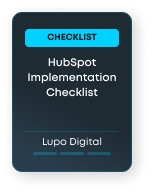
Downloadable resources for Sales Hub Planning

If you are planning or improving Sales Hub, start with a guide that helps you prepare the right sales, CRM and AI foundations.

hubspot implementation cover image 2

HubSpot Implementation Checklist

Plan your CRM structure, lifecycle stages, data migration, reporting, workflows and team adoption before your HubSpot implementation begins.

Best for: Teams setting up Sales Hub for the first time
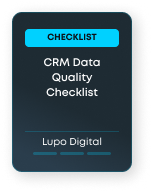
CRM Data Quality Checklist Cover image

CRM Data Quality Checklist

Review duplicate records, missing fields, property usage, associations, lifecycle stage accuracy and data quality risks before improving reporting or automation.

Best for: Teams that need better sales reporting, segmentation or pipeline visibility
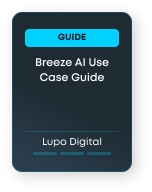
Breeze AI Use Case Guide Cover image

Breeze AI Use Case Guide

Compare practical Breeze AI use cases across sales, service, marketing, content, data, reporting and automation.

Best for: Teams exploring AI-assisted prospecting, sales productivity or sales automation

HubSpot AI

Related HubSpot pages

database-icon

Smart CRM

Understand how clean customer data supports sales activity, pipeline management, reporting and AI readiness.

trend-icon

Revenue Hub

Explore how HubSpot can support revenue visibility, attribution, forecasting and RevOps alignment.

target-icon

Prospecting Agent

Learn how AI-assisted prospecting can support sales research and outreach when the right data foundations are in place.

chart-2-icon

AI Reporting

Explore how cleaner CRM data and better dashboards can support sales and revenue decision-making.

megaphone-icon

Marketing Hub

See how Marketing Hub connects with Sales Hub through lifecycle stages, lead nurturing, campaign source and handover workflows.

HubSpot Sales Hub FAQs

HubSpot Sales Hub is the sales part of the HubSpot platform. It can support pipelines, deals, sales activity, lead routing, sequences, forecasting, reporting and sales team productivity.

Ready to make Sales Hub work properly?

Whether you are setting up Sales Hub for the first time or improving an existing sales process, Lupo can help you build cleaner pipelines, better reporting, stronger follow-up and AI-ready sales operations.