


December’s updates focus on three long-requested areas: removing friction, strengthening data governance, and giving teams greater operational control across Content, Sales, and Data. The changes aren’t flashy, but they deliver meaningful improvements to everyday workflows and address challenges teams have been navigating for years.
Below is the full breakdown of everything new, and why each change actually matters to your day-to-day work.
Lupo’s Top Picks
1. Unified Landing Page Creation
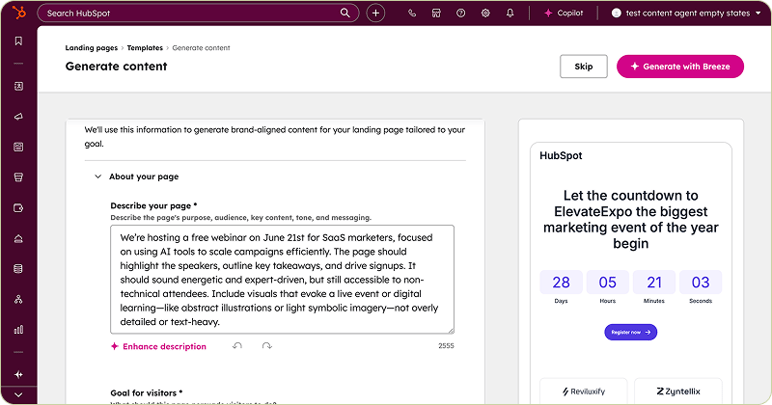
HubSpot has finally stopped forcing marketers to choose between “manual” and “AI-powered” landing page creation before they even start. The new unified flow gives you a single Create button, then lets you pick a template and decide whether to write copy manually or generate it with Breeze.
Why it matters
The previous split paths created unnecessary friction. Too many decisions before you even reached the editor. This change eliminates that. It keeps teams moving instead of navigating options that add zero real value.
- One unified “Create” button
- Choose any theme/template
- Select: generate with AI or write manually
- AI workflow asks for inputs before generating
- Breeze generates your full landing page copy
2. Redesigned Email Editor
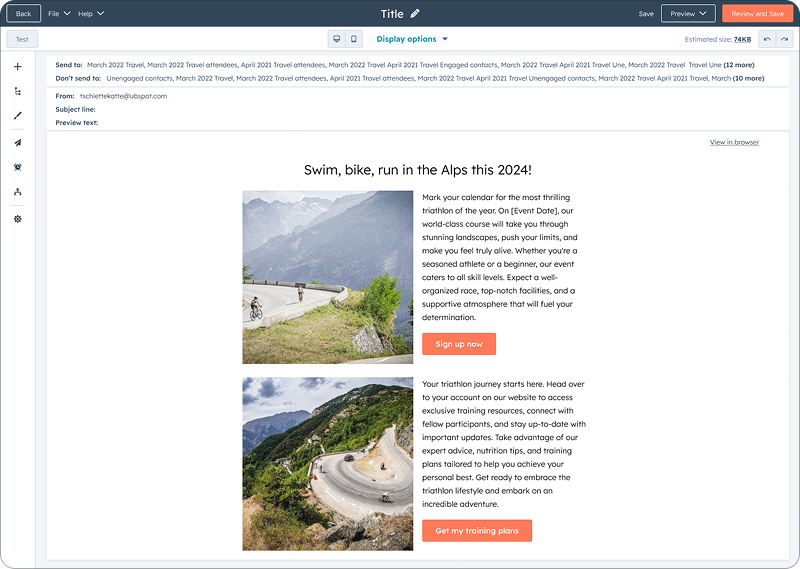
This is the biggest email update in years, and long overdue. The old editor was overloaded, unintuitive, and slow to work with. The redesigned editor delivers a clean, modern, full-canvas environment that finally feels like a real email creation tool.
Why it matters
Email creation was one of HubSpot’s most painful workflows. Too many hidden panels, too many settings buried in odd places, and too much time wasted onboarding new users. The redesigned editor fixes that.
- Full-canvas editing, no cramped sidebars
- Audience + sender details + subject line visible on the same screen
- Cleaner access to send options (list, workflow, API)
- New modular tools for layouts, sections, saved blocks
- Simplified template-level styling
- New Content Tree view for fast navigation
- Integrated Simple Workflows option
3. Add Google Drive Files to Campaign Builder
You can now add Google Drive files directly into the Campaign Builder without downloading and re-uploading anything.
Why it matters
Teams waste hours locating assets stored in Google Drive and duplicating them in HubSpot. This kills efficiency and breaks file governance. This update removes the friction completely.
- Connect Google Drive
- Add Drive assets directly to campaign briefs
- Files auto-save into File Manager

4. Multiple Dashboards in the Sales Workspace
Sales Admins can now embed multiple dashboards into a workspace and assign visibility by user or team. Reps see filtered, personalised dashboards automatically.
Why it matters
HubSpot’s previous limitation, one workspace dashboard, made it impossible to support different sales functions cleanly. This update fixes that and gives admins real control over visibility and workflow.
- Add multiple dashboards per workspace
- Assign per user or per team
- Default filter options (“owner = me” or unfiltered)
- Reps cannot override admin-set defaults
Featured Live Updates
5. New Merge Permissions for All Objects
Admins can now control merge permissions separately from edit permissions for Contacts, Companies, Deals, Tickets, and Custom Objects.
Why it matters
Previously, if someone could edit an object, they could also merge it, a massive risk for data hygiene. This update finally brings the level of control businesses need.
- Independent merge permission per object
- Configurable by all, team, or owned records
- Defaults matched to existing edit permissions (initially)

6. Streamlined “Email Opened” Mobile Notifications
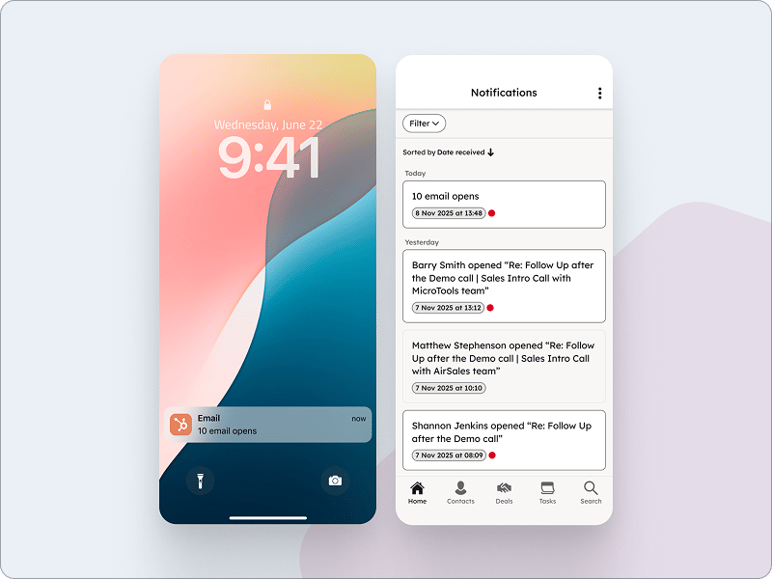
Mobile users now receive bundled email-open notifications instead of dozens of separate alerts.
Why it matters
Individual open notifications created noise, distraction, and notification fatigue. Bundling makes notifications useful again instead of overwhelming.
- Bundled notifications by type
- Reduced notification frequency
7. Decoupled Headers & Footers From Templates
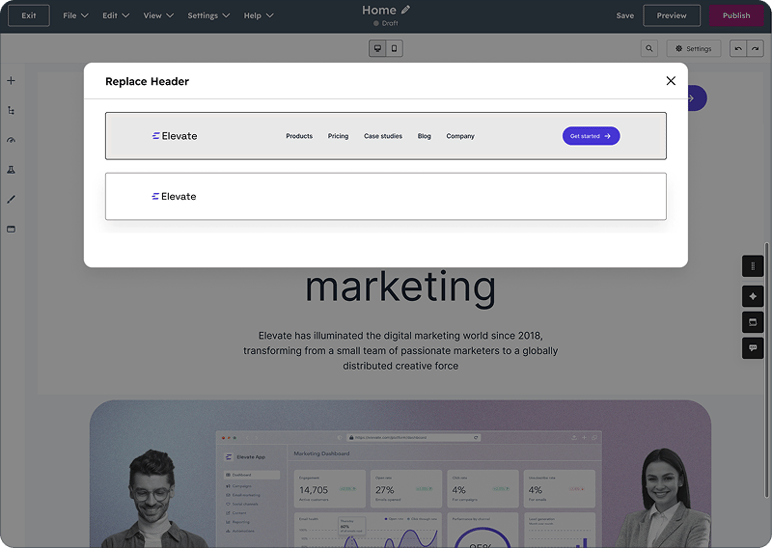
You can now switch headers and footers at the page level instead of being locked into whichever layout your template used.
Why it matters
HubSpot’s old structure was too rigid for larger or multi-brand teams. This update gives marketers proper creative flexibility without relying on developers.
- Replace/switch headers and footers directly in the page editor
- Select from any header/footer in the theme
- Future updates will allow creating and cloning headers within this interface
8. Filters Added to Data Studio Syncs Table
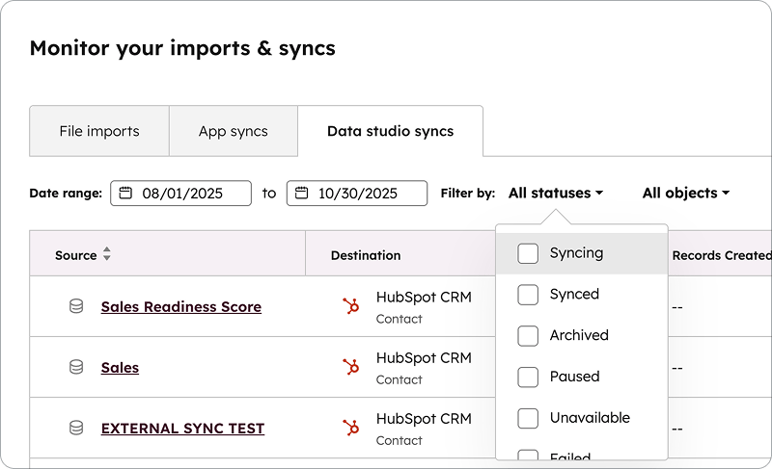
You can now filter syncs by destination object and sync status.
Why it matters
Large-scale CRM setups often contain dozens or hundreds of syncs. Without filters, finding the right one quickly was a pain. This update finally makes data ops cleaner and faster.
- Filter by destination object
- Filter by sync status
- Clear filters to return to full view

Final Thoughts from Team Lupo
HubSpot is closing out December with upgrades that actually move the needle — not cosmetic UI tweaks, but functional improvements that clean up workflows, reduce friction, and give teams more control over how they build, publish, track, and manage data. The unified landing page experience, redesigned email editor, stronger permissions, and smarter forecasting cadence systems all point in one direction: tighter operations and fewer avoidable mistakes.
These updates matter because they eliminate the small inefficiencies that compound over time. Better asset management, clearer permissions, stronger workspace control, improved notifications, and flexible content structures all help teams work with less noise and more clarity. They also reduce manual overhead, something most businesses underestimate until the time savings become obvious.
And if you missed it, you can revisit the HubSpot November 2025 Updates anytime.
Book a chat
There’s nothing to lose from a 10 minute connect-call. Tell us your pain... let’s see if we can help...



Written by Glenn Miller
An exceptionally experienced digital marketer, proactive and future-forward thought leader, I deliver exceptional customer experiences, industry leading digital strategy and superior marketing results.

