


January 2026 HubSpot updates focus on making everyday work easier and more reliable.
The latest releases improve how teams use AI, automate processes, manage CRM data, and execute campaigns, removing unnecessary steps, reducing errors, and giving users more control over how work gets done. Instead of introducing flashy new tools, HubSpot has refined core features that teams rely on daily, including AI conversations, workflows, reporting accuracy, content creation, and cross-channel execution.
Below is the full breakdown of everything new, and why each change actually matters to your day-to-day work.
Lupo’s Top Picks
1. Customer Agent Prompt Recommendations
Customer Agent can now display smart prompt recommendations directly in your chat widget, tailored to the page a visitor is viewing. Instead of generic “How can I help?” messages, visitors see relevant, page-specific questions the AI agent can confidently answer.
Why does it matter?
Most visitors ignore chat widgets because they don’t understand what the AI can actually help with. By surfacing contextual prompts, this update removes uncertainty and encourages immediate engagement. The result is higher-quality conversations, reduced bounce rates, and better self-service experiences.
Prompt recommendations are now the default for chat widgets using Customer Agent. The agent detects the page context, checks available knowledge, and displays relevant prompts only when it can deliver accurate answers. Admins can adjust the launcher type (Prompt bar or Icon) via Service > Chatflows.
2. Improved Saving for Workflows
Enabled workflows with errors can now be saved as long as no new errors are introduced. Previously, users were blocked from saving until all errors were fixed.
Why does it matter?
Complex workflows rarely get fixed in one session. This update allows teams to fix issues incrementally, make neutral changes, and clean up logic without being forced into all-or-nothing edits, significantly reducing frustration and accidental misconfigurations.
- HubSpot applies a simple rule:
- Fixing existing errors → save allowed
- Neutral changes → save allowed
- Introducing new errors → save blocked
- This keeps workflows safe while giving teams more flexibility.

3. Customise Associations to the Cart Object
Admins can now create associations between carts and custom objects, add custom association labels, and set association limits for the cart object.
Why does it matter?
Carts often sit at the centre of complex commerce workflows. This update brings consistency across CRM objects, allowing businesses to model relationships more accurately and maintain cleaner, more meaningful data structures.
How does it work?
Super Admins can configure cart associations via Data Management > Data Model, add new object links, define custom labels, and control association limits.
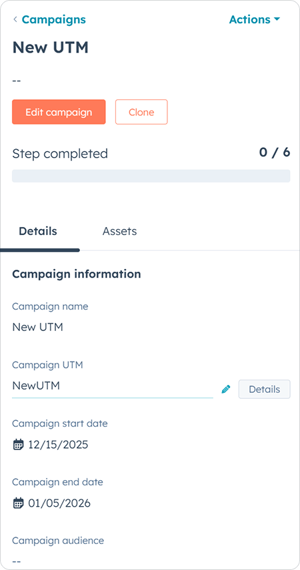
4. Edit or Delete Campaign UTM Values
Campaign users can now edit or delete Campaign UTM values, giving marketers greater control over tracking accuracy.
Why does it matter?
Carts often sit at the centre of complex commerce workflows. This update brings consistency across CRM objects, allowing businesses to model relationships more accurately and maintain cleaner, more meaningful data structures.
How does it work?
Super Admins can configure cart associations via Data Management > Data Model, add new object links, define custom labels, and control association limits.

Featured Live Updates
5. Breeze Assistant Mobile App: Notifications
The Breeze Assistant mobile app now supports push notifications, starting with scheduled onboarding and activation tips during a user’s first two weeks.
Why does it matter?
Many users underutilise Breeze Assistant because they don’t fully understand its capabilities. Timely notifications drive discovery, habit formation, and real usage, without requiring users to actively explore the app.
How does it work?
Notifications are delivered on a schedule, can be managed in app settings, and open contextual chat threads or relevant tools when tapped.

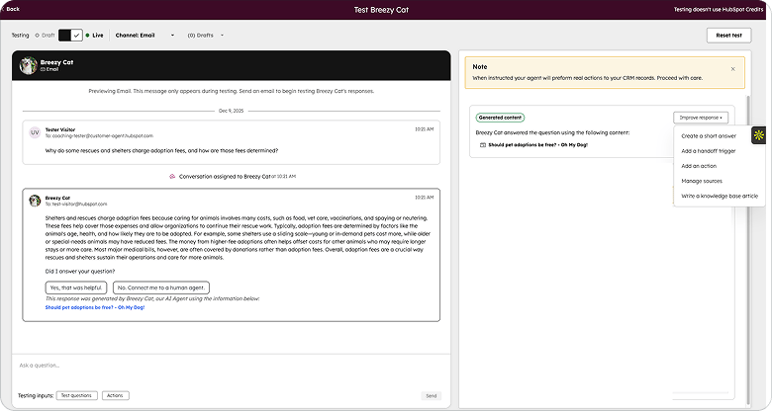
6. Test Your Customer Agent on Email
You can now test how your Customer Agent responds to email-based queries, without connecting a live email channel.
Why does it matter?
Email responses require more structure, clarity, and permanence than chat. This feature lets teams validate tone, completeness, formatting, and knowledge usage before enabling email automation.
How does it work?
From the Customer Agent testing environment, select Email, write a sample customer message, and review the full response thread. Teams can refine knowledge, add handoffs, or adjust agent behaviour before going live.
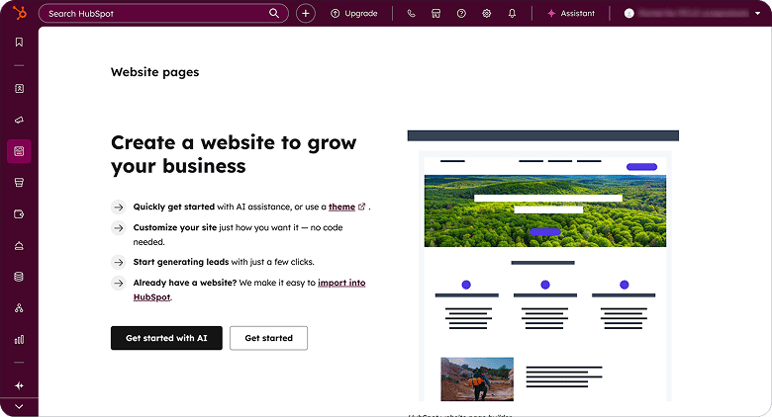
7. Updated Page Creation: Template Selection
Website page creation now uses an updated template selection flow, aligned with the newer landing page experience.
Why does it matter?
Inconsistent creation flows slow teams down and create confusion. This update delivers a clearer, more unified experience when building website content.
How does it work?
After clicking Create, users are taken to a dedicated template selection screen where they can filter, search, switch themes, and then move directly into editing.
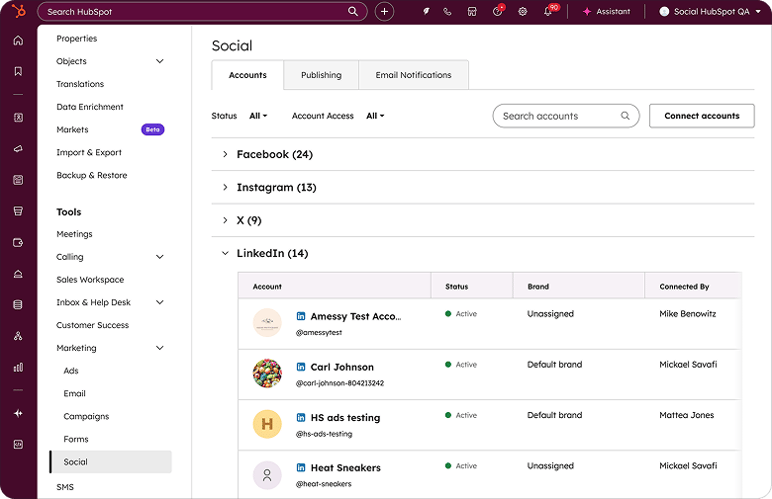
8. Social Settings Simplification
Social account settings are now managed from a simplified Accounts tab, with accounts grouped by network and fewer configuration screens.
Why does it matter?
The previous setup was cluttered and hard to navigate. Simplifying social settings makes it faster to manage connections, identify issues, and maintain publishing readiness.
How does it work?
All social account actions, connect, authenticate, edit, and filter, now live in one place, with clear status indicators and collapsible sections.
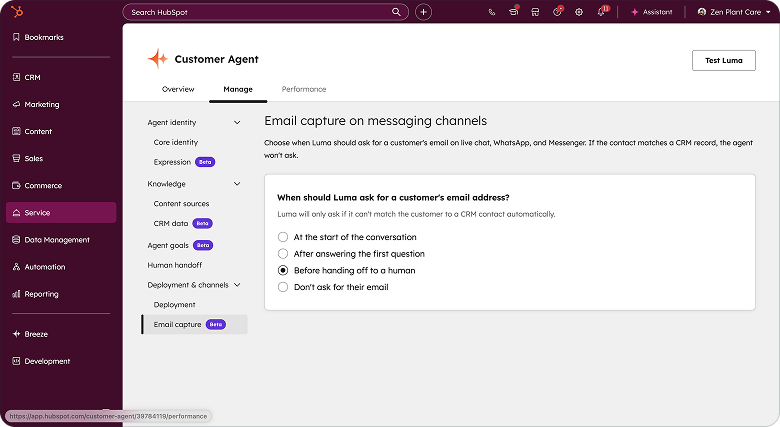
9. Customer Agent Can View and Edit CRM Contact Properties
Customer Agent can now view and edit selected contact properties directly in your CRM during conversations.
Why does it matter?
This unlocks smarter, more personalised interactions. Agents can confirm details, update records, and resolve issues faster, without handing off to humans unnecessarily.
How does it work?
Admins enable CRM data access under Customer Agent > Knowledge > CRM Data, choose properties, apply security checks, and define usage instructions. Agents can view or update up to 10 properties.
10. Scale Video Content Production with Descript for HubSpot
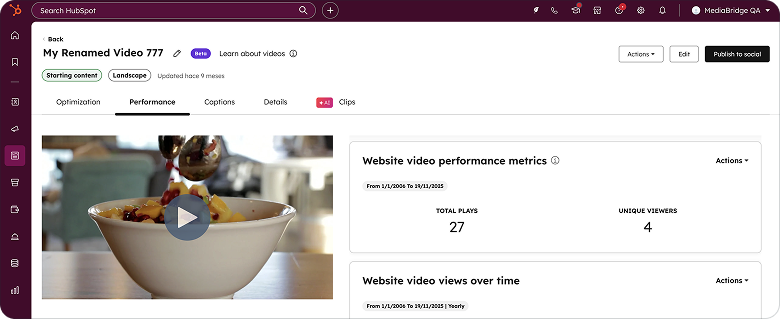
The new Descript app for HubSpot connects AI-powered video editing directly with HubSpot’s video tools, enabling seamless editing, publishing, and performance tracking.
Why does it matter?
Manual file transfers and disconnected reporting slow video marketing. This integration enables faster production, multi-channel distribution, and clear ROI tracking, turning video into a measurable growth channel.
How does it work?
Videos sync bi-directionally between HubSpot and Descript. Edited videos return automatically to HubSpot, ready for embedding, publishing, and performance reporting across channels.

Final Thoughts from Team Lupo
The January 2026 updates show HubSpot doubling down on practical intelligence, making AI more contextual, workflows more forgiving, data cleaner, and content production easier to scale. These aren’t surface-level changes, they directly reduce friction across marketing, sales, service, and operations teams.
At Lupo Digital, we help businesses activate these updates strategically, so they don’t just exist in your portal, but actively improve efficiency, data quality, and customer experience.
If you’d like help enabling or optimising any of these features, our team is ready to assist.
And if you missed it, you can revisit the HubSpot December 2025 Updates anytime.
Book a chat
There’s nothing to lose from a 10 minute connect-call. Tell us your pain... let’s see if we can help...



Written by Glenn Miller
An exceptionally experienced digital marketer, proactive and future-forward thought leader, I deliver exceptional customer experiences, industry leading digital strategy and superior marketing results.

